

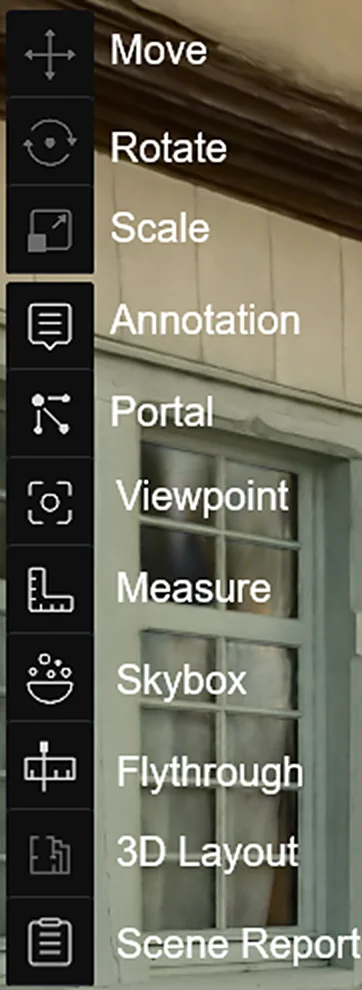
Left Toolbar
Transform Tools
Used to spatially adjust selected models or assets.
| Tool | Description |
|---|---|
| Move | Translate the object along the X/Y/Z axis |
| Rotate | Rotate the object around the X/Y/Z axis |
| Scale | Scale the object uniformly |
Activating a tool shows the corresponding Gizmo handles at the object's center. Drag the handles to operate.
Feature Tools
| Tool | Description | Details |
|---|---|---|
| Viewpoints | Create and manage Tour / Roaming / Zone viewpoints | Viewpoints |
| Skybox | Replace the scene background environment | Skybox |
| Annotations | Add display annotations or portals to the scene | Annotations |
| Measurement | Obtain coordinates, distances, and area data | Measurement |
| Flythrough | Record a camera roaming path and export as video | Flythrough |
| Scene Report | Generate and manage scene reports | Scene Report |
| 3D Layout | View and edit AI-generated floor plans; supports wall/door/window drawing | 3D Layout |
This chapter is from the official XGRIDS user manual. Official source (opens in a new tab) · Updated:



