

Path: Menu Bar → Edit
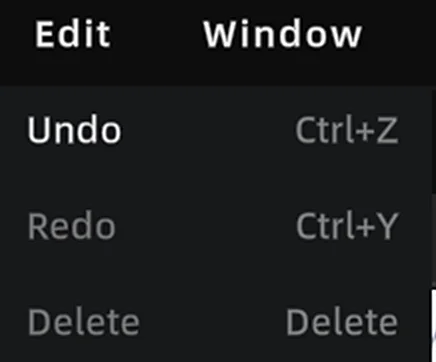
Edit Menu
Undo
Press Ctrl + Z, or click the Undo button in the toolbar to revert the most recent action.
| Operation Type | Undo Supported |
|---|---|
| 3D object transform (move / rotate / scale) | ✅ |
| Viewpoint operations (add / move / delete) | ✅ |
| Annotation operations (add / move / delete) | ✅ |
| Skybox operations (switch / activate / deactivate) | ✅ |
| Measurement operations (add / delete) | ✅ |
| Scene report editing | ❌ Paused (button grayed out) |
| During video rendering | ❌ Paused (button grayed out) |
| In Preview Mode | ❌ Paused (button grayed out) |
History limit: 100 steps. The oldest records are discarded automatically when the limit is exceeded. Undo history is cleared when the project is closed.
3D Layout independent undo stack:
- Entering the 3D Layout module switches to a separate 2D undo stack
Ctrl+Zonly undoes 2D operations while inside the floor plan- Exiting the floor plan clears the 2D undo stack and restores the 3D global undo stack
Redo
Press Ctrl + Y, or click the Redo button in the toolbar to restore an undone action.
Note: Performing a new action immediately clears the redo history.
Delete
Press Delete to remove the currently selected object or element.
This chapter is from the official XGRIDS user manual. Official source (opens in a new tab) · Updated:



