

Localization
Overview
The LCC4Unreal plugin UI supports 6 languages:
| Language | Localization directory |
|---|---|
| English | Content/Localization/XGrids/en/ |
| Simplified Chinese | Content/Localization/XGrids/zh-Hans/ |
| Japanese | Content/Localization/XGrids/ja/ |
| Korean | Content/Localization/XGrids/ko/ |
| French | Content/Localization/XGrids/fr/ |
| German | Content/Localization/XGrids/de/ |
Localization covers the plugin panels (Quick Add, licensing, Helper, About), the DisplayName and ToolTip in the property panel, and the description text of console commands.
Configuration
Select the language preference in the Lcc4Unreal panel of the editor:
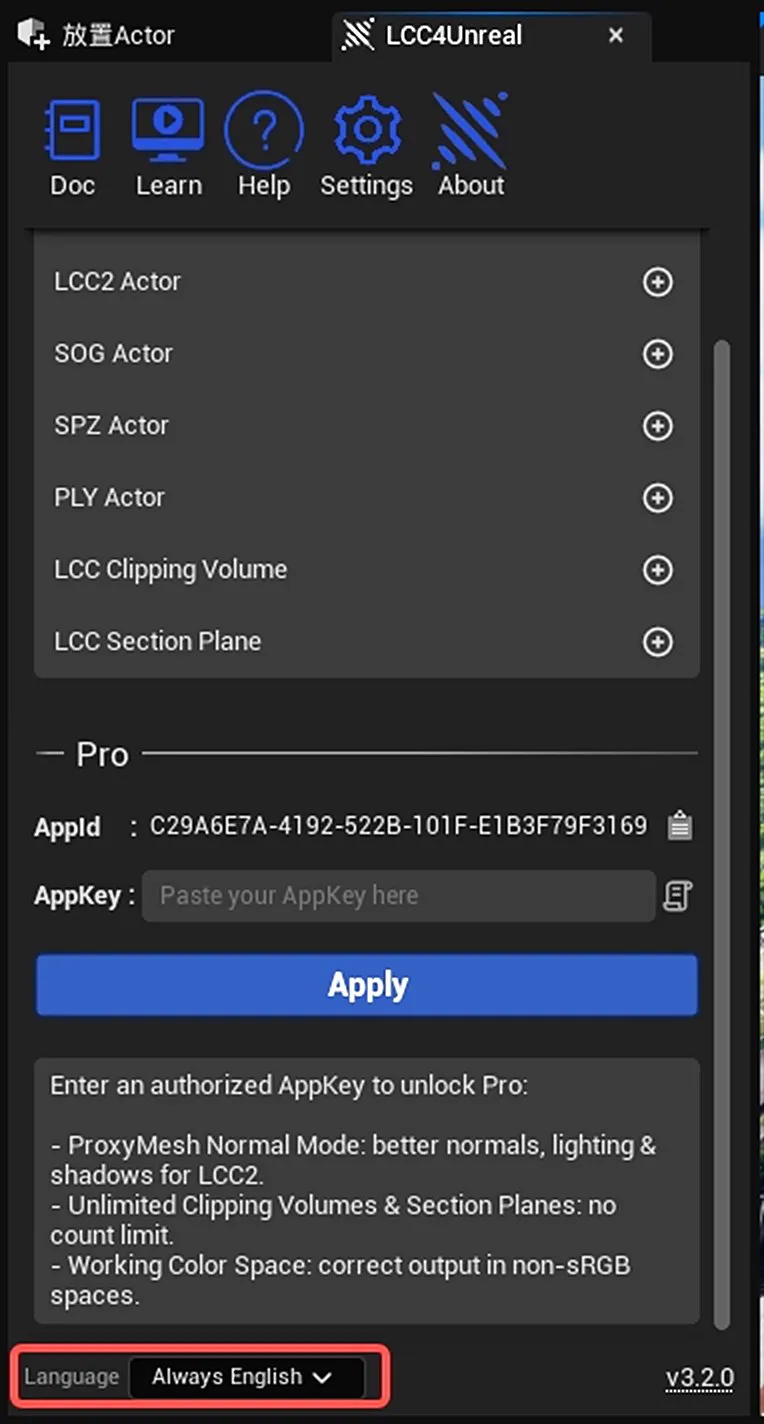
Selecting the language preference in the LCC4Unreal panel
| Option | Enum value | Description |
|---|---|---|
| Follow Editor (default) | ELanguagePreference::FollowEditor | Follows the current editor language setting. Falls back to English when the editor language is not in the supported list |
| Always English | ELanguagePreference::AlwaysEnglish | The plugin UI always shows English regardless of the editor language |
Result of Follow Editor Mode
With the editor language set to Chinese, the plugin panel shows Chinese automatically:
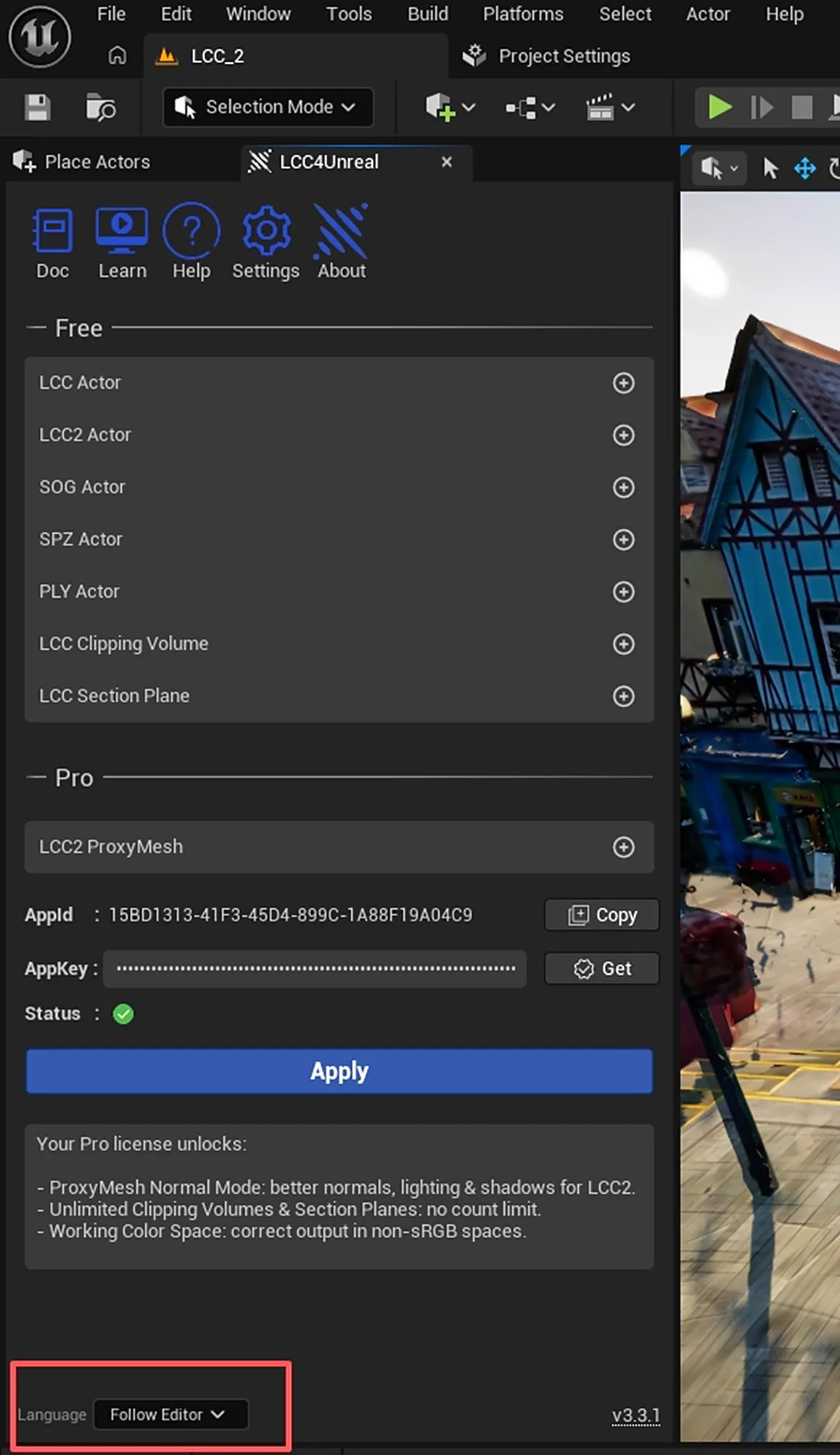
The plugin interface shown in Chinese under Follow Editor mode
Result of Always English Mode
Even with the editor in Chinese, the plugin panel still shows English:
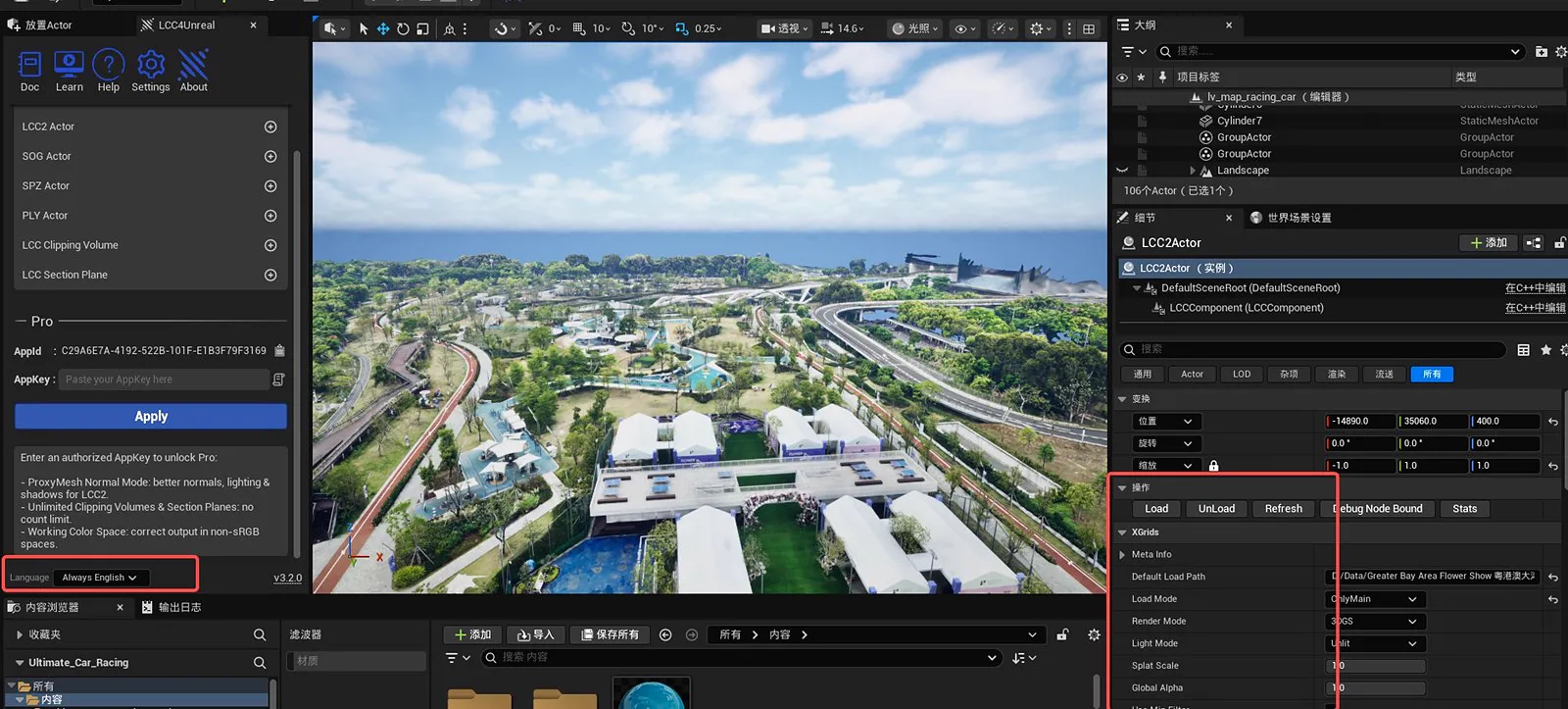
The plugin interface always shown in English under Always English mode
This chapter is from the official XGRIDS user manual. Official source (opens in a new tab) · Updated:



