

Applicable methods: Video reconstruction (phone/camera) or close-range device scanning
Orbit Shooting Method (Recommended)
The core of object capture is multi-layer orbiting — walking a full loop around the object at different heights:
- Low orbit: Crouch down, tilt the camera slightly upward, and orbit the object once (covers the bottom)
- Mid orbit: Stand at eye level and orbit the object once (covers the main body)
- High orbit: Raise the camera or stand higher, look down, and orbit once (covers the top)
- Supplement: Add close-range shots of detail-rich areas (logos, textures, seams)
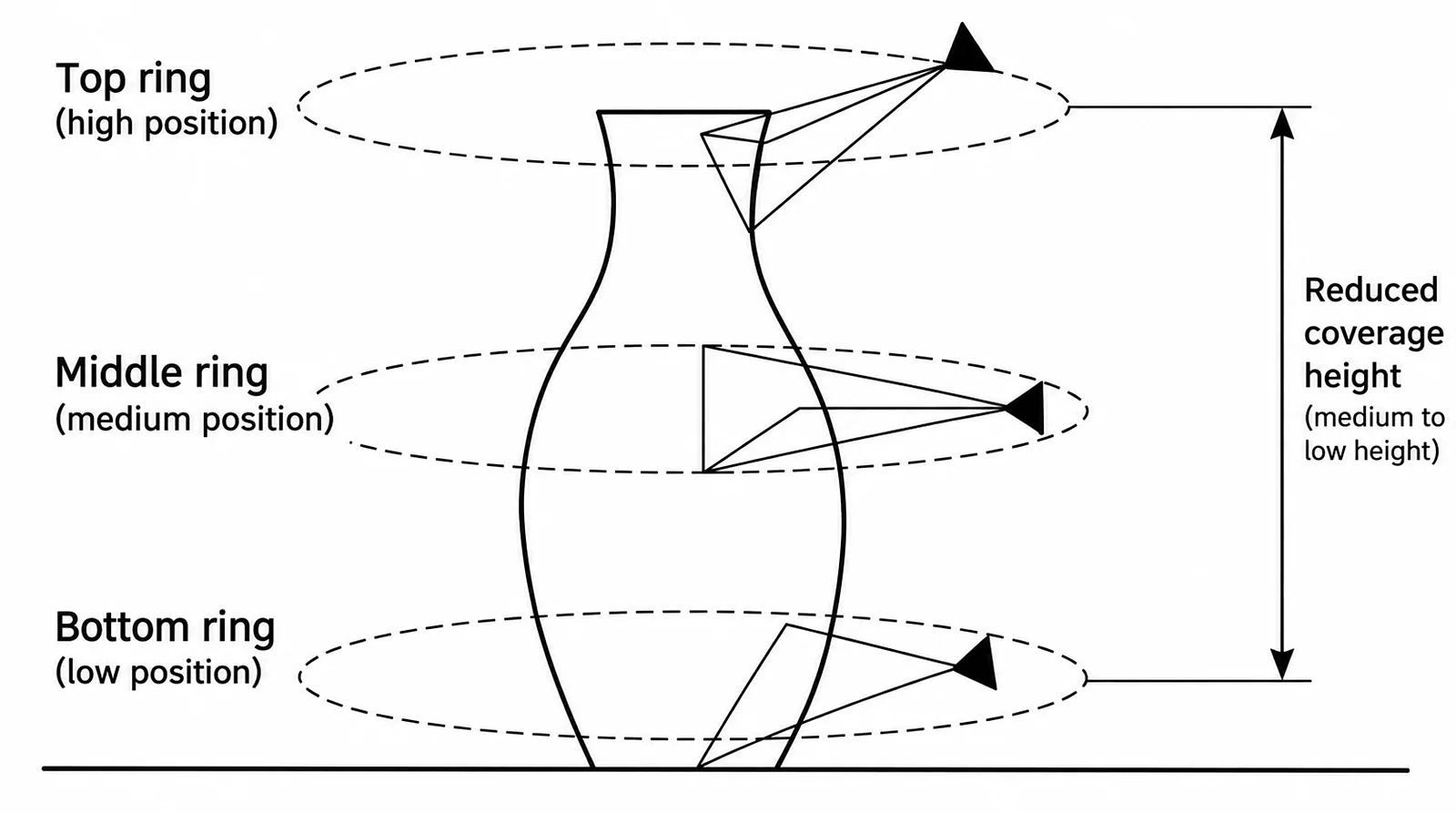
Object three-layer orbit capture (low/mid/high)
Object Bottom Capture
The bottom of an object is usually occluded and requires a flipping technique:
- Orbit and shoot the front of the object normally
- Carefully flip the object (or suspend it on a stand)
- Shoot the bottom, ensuring sufficient overlap with the front
Object Capture Parameter Recommendations
| Item | Recommendation |
|---|---|
| Distance | Object fills 60%–80% of the frame |
| Number of orbits | 2–5 loops (different heights) |
| Photos per loop | 30–50 photos (or 30–60 seconds of video) |
| Total photos | 120–300 photos |
| Background | Clean, non-reflective, contrasting with the object |
| Lighting | Soft and even, avoid strong highlights and shadows |
Handling Special Objects
| Object Type | Challenge | Recommendation |
|---|---|---|
| Reflective objects (metal, glass) | Specular reflection | Use a polarizing filter or apply matting spray |
| Transparent objects | No texture | Place reference objects inside or apply spray |
| Plain-colored objects (white wall, pure black) | Insufficient features | Add marker points or increase environmental texture |
| Hair/fine filaments | Details too fine | Increase the number of photos and shorten shooting distance |
This chapter is from the official XGRIDS user manual. Official source (opens in a new tab) · Updated:



