

Applicable devices: Lixel K2 (recommended), Lixel L2 Pro, Lixel L3 (recommended)
Time Selection
| Time | Suitability | Notes |
|---|---|---|
| Overcast, all day | ⭐⭐⭐ Best | Even lighting, no harsh shadows |
| Sunny morning/evening | ⭐⭐ Good | Longer but softer shadows |
| Sunny noon | ⭐ Fair | Short but harsh shadows, excessive contrast |
| Rainy/night | ❌ Not recommended | Insufficient light, ground reflections |
Capture Paths
Building Facade
- Walk a loop around the building perimeter (3–5 m from the building), shooting the main body at eye level
- Walk another loop (1–2 m from the building), shooting high-up details at an upward angle
- Add extra multi-angle coverage of key areas (entrances, signs, distinctive structures)
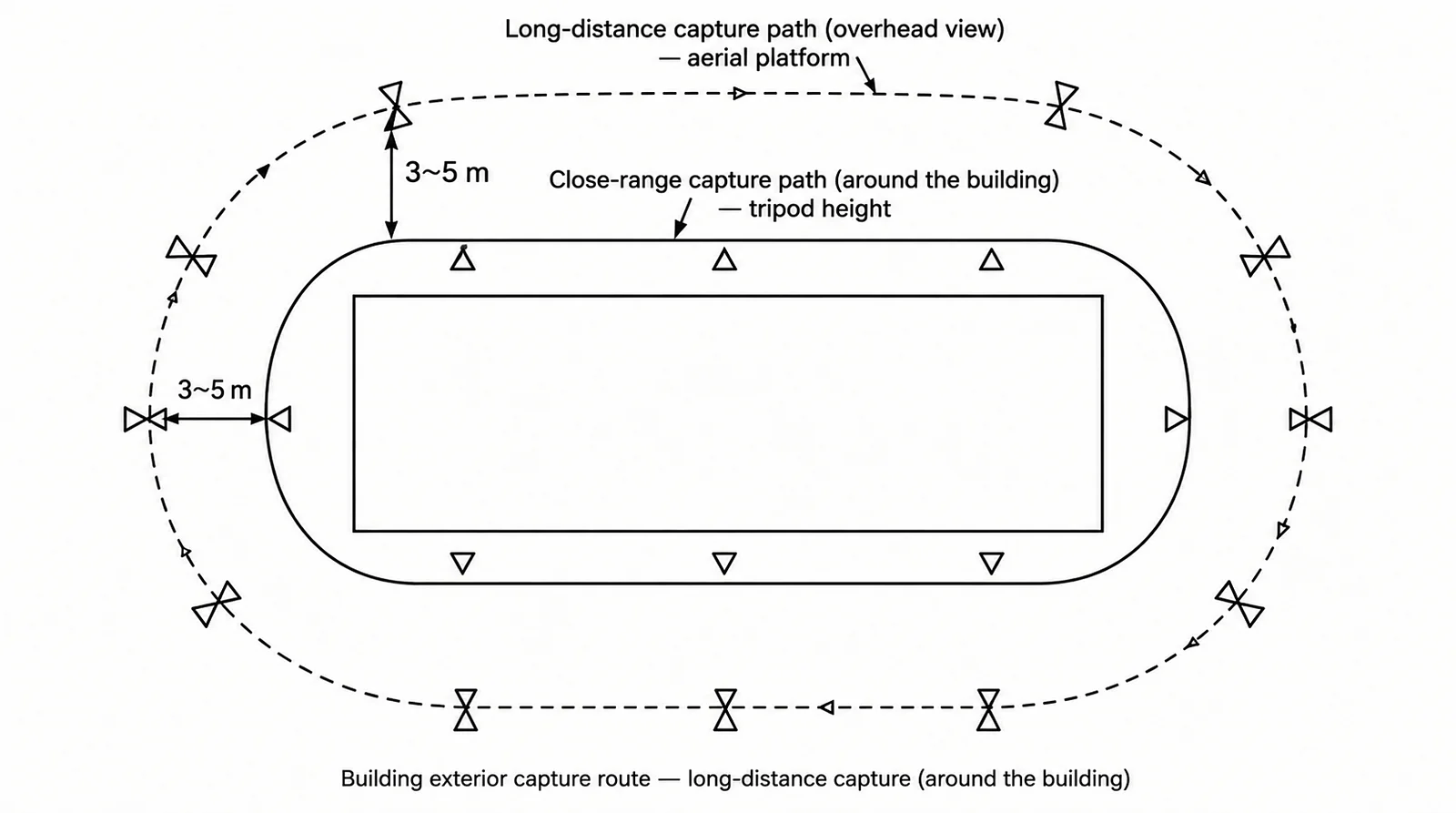
Building facade capture path (far + near double loop)
Streets/Roads
- Walk along one side of the road, shooting the buildings on the opposite side
- On the return, walk along the other side, shooting the buildings on this side
- Cover intersections/junctions from multiple angles
Outdoor Considerations
- Pedestrians/vehicles: Choose times with fewer people when possible; moving objects produce artifacts
- Vegetation: Leaves swaying in the wind produce blur; light-breeze weather is best
- Sky: Sky regions have no texture and limited reconstruction results, which is normal
- RTK positioning: L3, L2 Pro, and K2 support RTK; enabling it for outdoor capture is recommended to obtain precise geographic coordinates
- Shadow consistency: Changes in the sun's position during capture cause shadows to move; try to finish within 30 minutes
- Lighting consistency: If multi-segment stitching is needed, all data segments should be captured within 2 hours to avoid drastic morning/evening lighting changes
Outdoor Capture Checklist
- [ ] Suitable weather conditions (overcast or soft lighting)
- [ ] Low pedestrian/vehicle traffic
- [ ] RTK enabled with good signal (when absolute coordinates are required)
- [ ] All faces of the building covered
- [ ] Both ground and high-up angles covered
This chapter is from the official XGRIDS user manual. Official source (opens in a new tab) · Updated:



