

| Device | Type | Sensors | Suitable Scenarios | Max Single Capture Duration |
|---|---|---|---|---|
| Lixel L3 | Handheld Scanner | LiDAR + RGB | Medium to large indoor/outdoor scenes, map fusion, aerial-ground map fusion | 100 min |
| Lixel K2 | Handheld Scanner | LiDAR + RGB | Small to medium indoor/outdoor scenes, map fusion, aerial-ground map fusion | 90 min |
| Lixel L2 Pro | Handheld Scanner | LiDAR + RGB | Medium to large indoor/outdoor scenes, map fusion, aerial-ground map fusion | 90 min |
| Lixel P1 (PortalCam) | Spatial Camera | LiDAR + RGB | Indoor scenes, rapid capture | 60 min |
| Phone/Camera (video mode) | General | RGB | Objects, people, small scenes | 16 min (video reconstruction) |
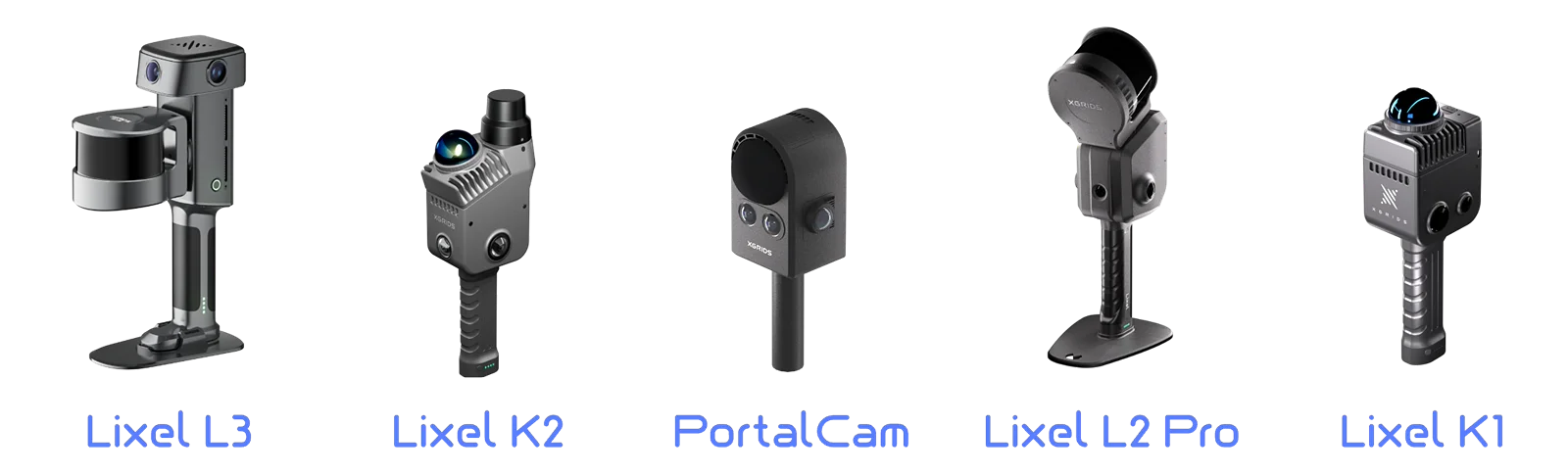
Four capture devices (K2 / L2 Pro / P1 / Phone)
Device Selection Recommendations
| Scenario | Recommended Device | Reason |
|---|---|---|
| Office / showroom / model home | Lixel P1 | Lightweight and compact, clear detail capture |
| Factory / warehouse / large interior | Lixel L3 / Lixel L2 Pro / K2 | High LiDAR accuracy, stable in large spaces |
| Outdoor buildings / streets | Lixel L3 / Lixel L2 Pro / Lixel K2 | RTK support, large-scale map fusion |
| Air-ground integrated (ground + aerial) | Lixel L3 / Lixel L2 Pro + drone | Stable large-scale mapping, high capture efficiency |
| Single object / product | Phone/Camera | Video reconstruction, flexible and lightweight |
| People / portraits | Phone/Camera | Video reconstruction, quick orbit |
This chapter is from the official XGRIDS user manual. Official source (opens in a new tab) · Updated:



